
The ‘notification’ section of the STR/SAR on the compliance planet handles the instant notification of the compliance team of a bank, upon the identification of a suspicious transaction or activity. Follow the following steps to send a STR Notification.
STEP 1: Click ‘Send STR notifications’ as in fig. 6.2.1a below
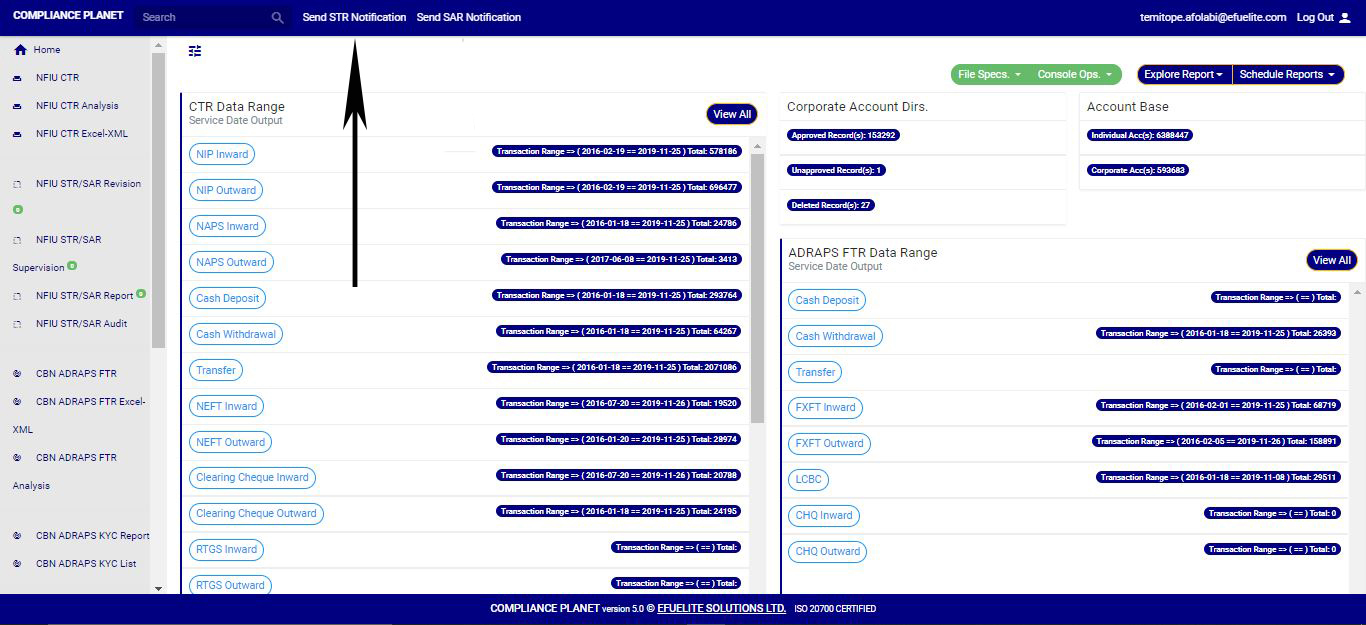
(fig. 6.2.1a)
➔ Clicking on ‘SEND STR NOTIFICATIONS’ displays a console as in fig. 6.2b. It is the STR Notification console. The STR notification console requires information about the suspicious transaction.
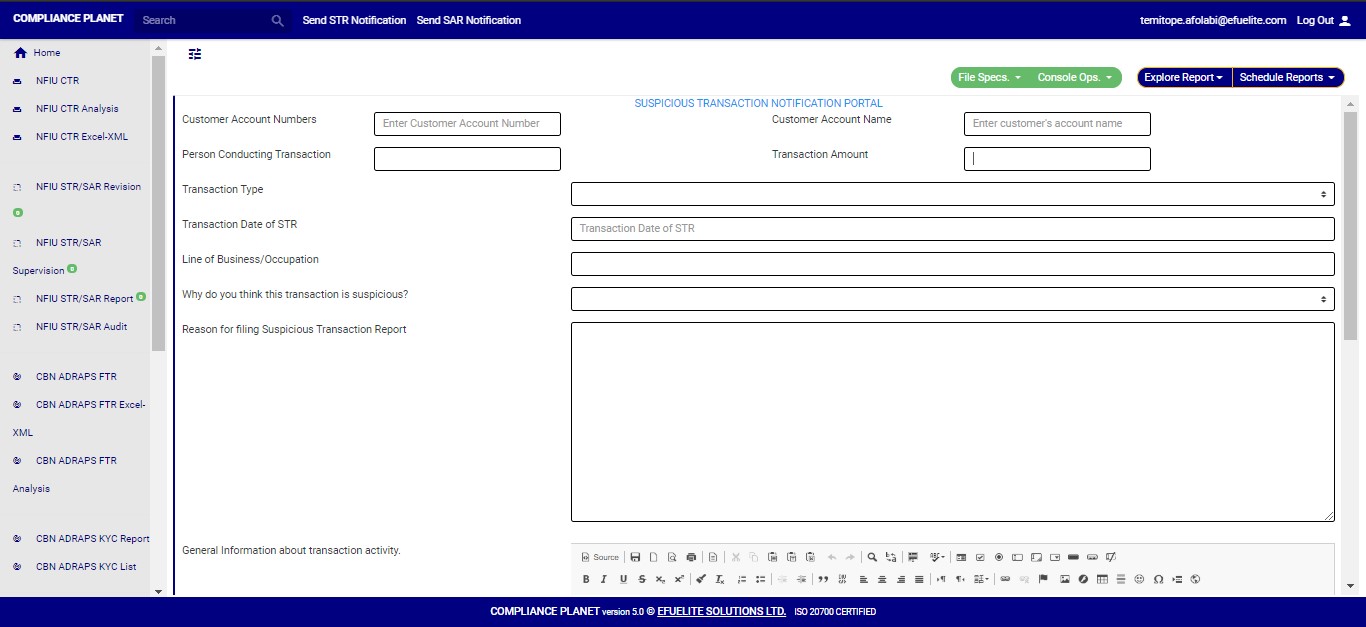
(fig. 6.2.1b)
STEP 2: Type in the Account number involved in the transaction. See an instance in fig. 6.2.1c. Kindly note that the account number must be valid.

(fig. 6.2.1c)
STEP 3: Fill in all other information about the transaction in the editor provided on the console. See an example in fig. 6.2.1d

(Fig. 6.2.1d)
➔ To fill the general information about the transaction and extra details section, there is a rich text editor which allows plain texts, characters and special features like tables, font style, colour, size, alignment, etc to format and customize the texts in your notification. See this feature in fig. 6.2.1e for an example.
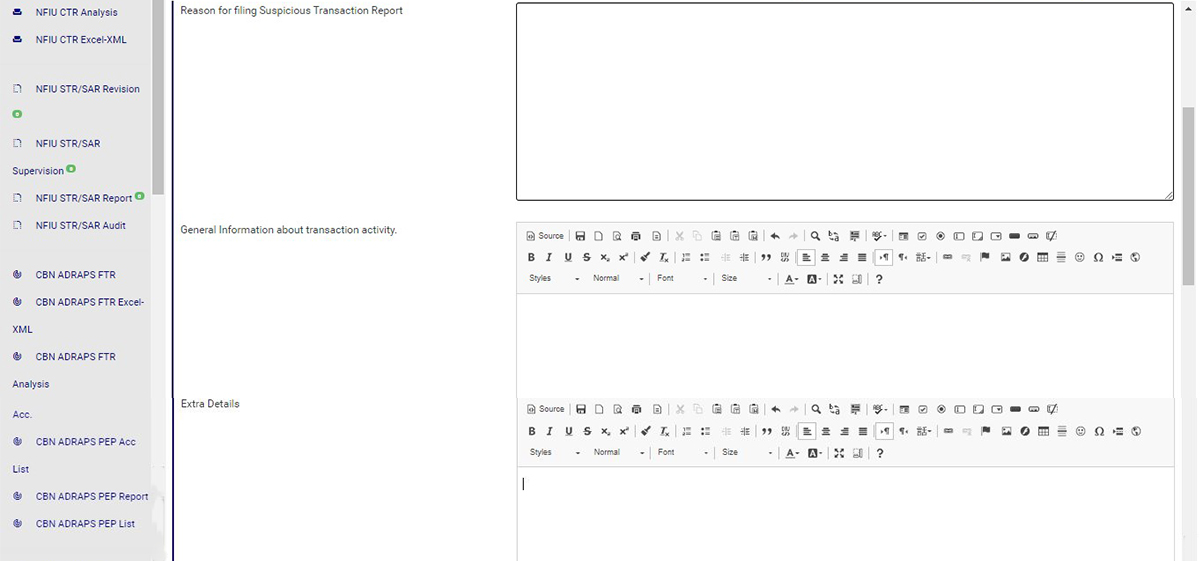
(fig. 6.2.1e)
➔ Amongst the features on the toolbar of the editor, there is a button that can maximize the editor to full screen. This button also minimizes the editor’s view back to the console. See this button in fig. 6.2.1f and see fig. 6.2.1g for an example of a full screen view.
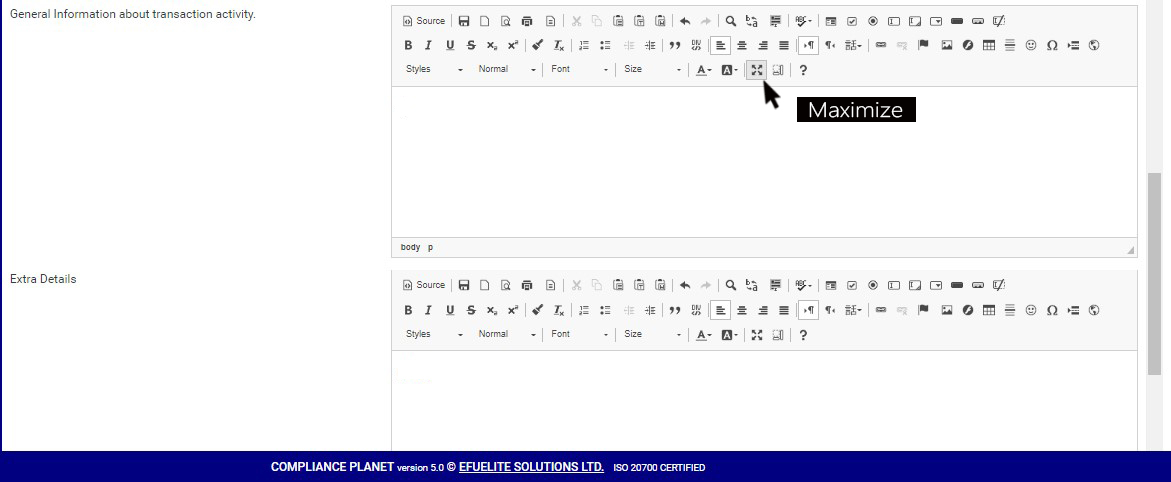
(fig. 6.2.1f)
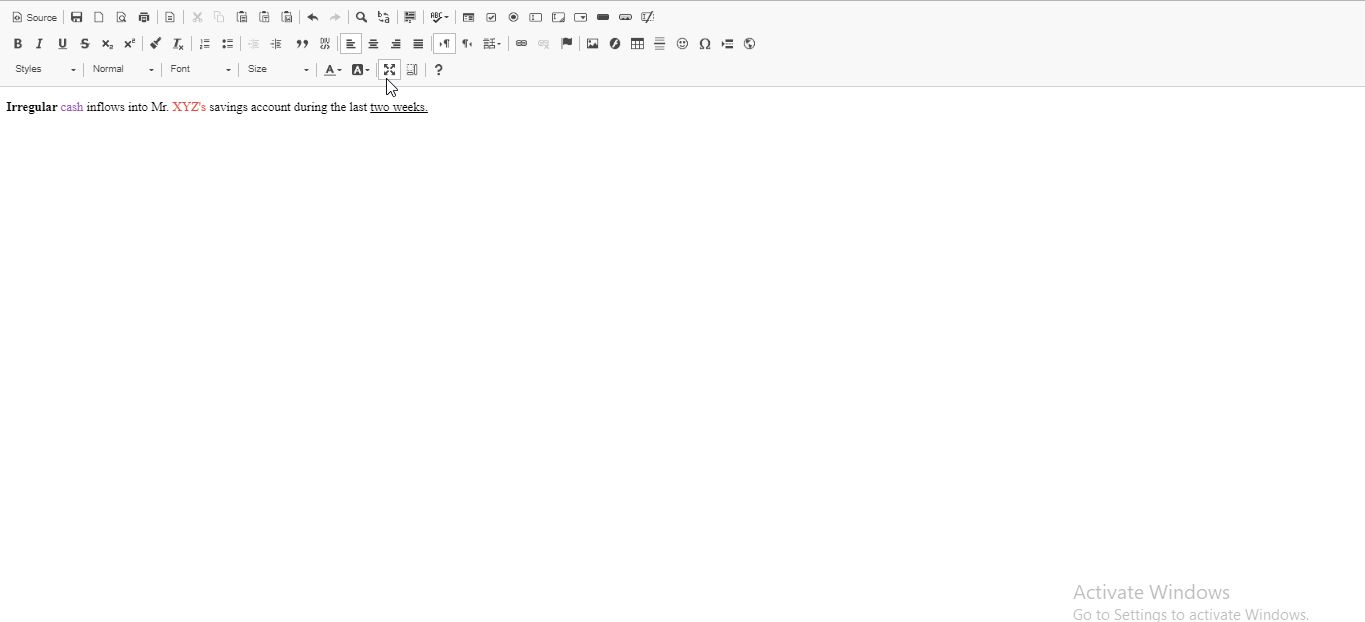
(fig. 6.2.1g)
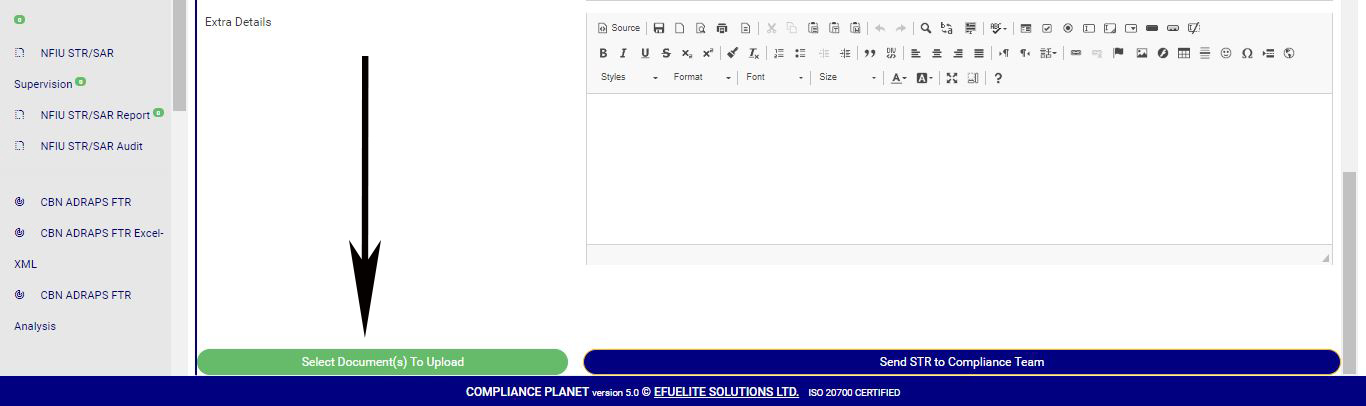
STEP 4: Click on “Select Document(s) to Upload” button to add supporting documents to the STR notification as shown in Fig.6.2.1h below
(fig. 6.2.1h)
➔ Click on ‘SEND STR TO COMPLIANCE TEAM’ to send the information to compliance desk. This button is at the bottom-right corner of the console. Check out this button in fig. 6.2.1h above.
➔ A confirmation console will be displayed when you click on ‘SEND REPORT TO COMPLIANCE TEAM’. Click on CONFIRM to proceed or click on Cancel to go back to the notification console.
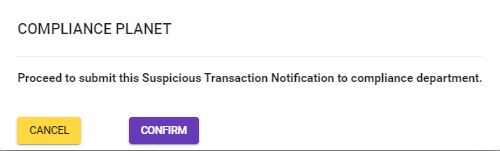
(fig. 6.2.1i)
For further enquiries :
Tel +234(0) 816 555 9818
Email solutions@efuelite.com
